
Guide
How to track competitor content and SEO changes
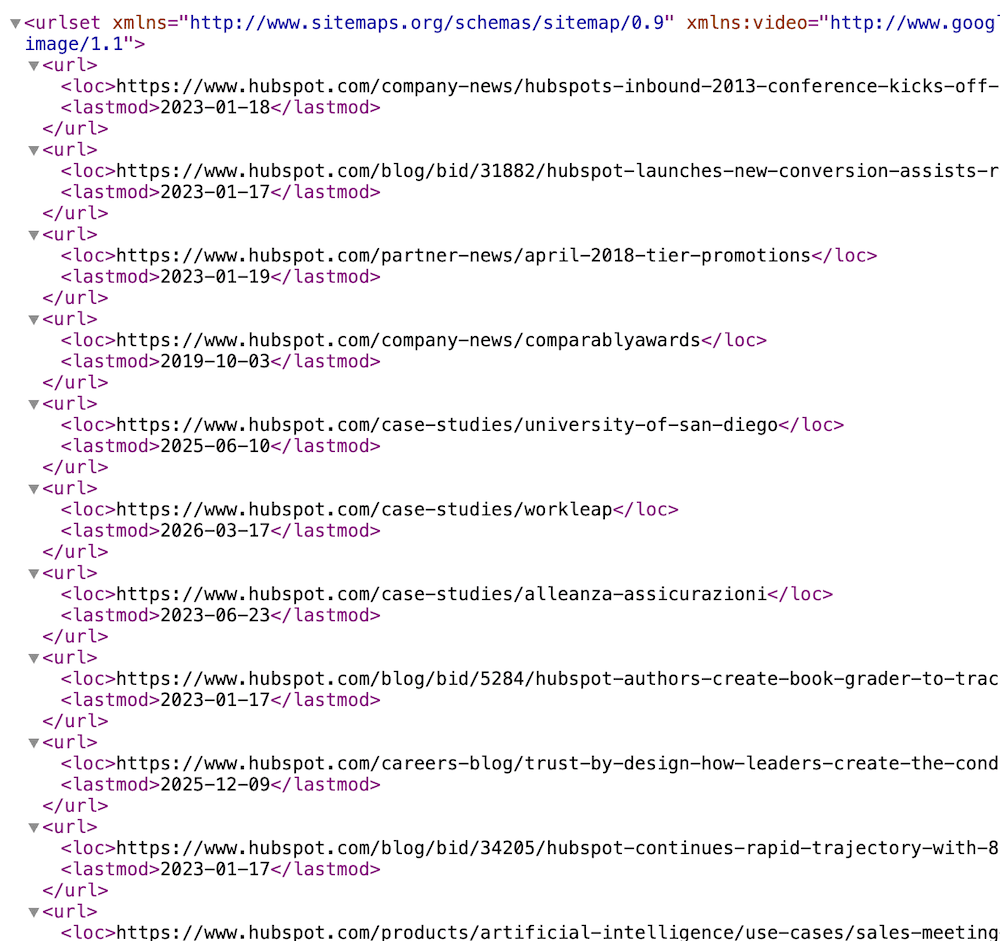
A competitor ships twelve new comparison pages on a Tuesday. Another quietly rewrites the guide that outranks yours, adds three sections, and retitles the H2s around a tighter keyword. Your rank tracker notices two weeks later, when the position has already moved. Nobody on your content team saw the pages go live. The job here is narrower than "audit every competitor every month": when a rival publishes a new URL, or substantially reworks a page you compete with, the alert should land where your content and SEO team already works, with enough context to decide whether to respond. Example shape: Change detected on https://www.hubspot.com/sitemap.xml: A new URL was created: https://www.hubspot.com/case-studies/workleap
Free plan · 10 monitored URLs or sitemaps · AI included · PDF support · No credit card required
Tell Page Deltas what matters
alert me when Hubspot publishes a new page
🔔 Change detected on https://www.hubspot.com/sitemap.xml:
A new URL was created: https://www.hubspot.com/case-studies/workleap
Two different jobs: discovery and rewrites
Competitor content monitoring is really two jobs, and they need two different monitors. The product overview for this desk lives on our SEO and competitor content monitoring use case. This post is the setup: which sitemaps to add, which pages to watch closely, what to put in the brief, and where the tool stops.
Discovery: what did they just publish?
Most sites list their public URLs in a sitemap.xml. A sitemap monitor in Page Deltas tracks the set of URLs that file contains and alerts you when new ones appear. That gives you a running view of a competitor's publishing cadence (blog posts, landing pages, integration pages, programmatic rollouts) without crawling their site yourself. One sitemap monitor counts as one monitored URL on your plan.
Rewrites: what did they change on the pages that matter?
A sitemap tells you a URL exists. It does not tell you a ranking page was reworked. For that, add the specific competitor pages you compete with (the guide that outranks you, their comparison page against you, their pillar page) as normal page monitors with a brief. Page Deltas extracts the main content, ignores nav, footer, and ads, and asks an LLM whether the change matches what you described. You get a plain-language summary instead of a raw diff.
The moves that actually matter
A new blog post, guide, or glossary entry on a topic you target. A new comparison or alternative page, especially one that names you. A batch of templated pages appearing at once (location, integration, or use-case pages). A ranking page gaining or losing whole sections, FAQs, or a new angle. A pillar page expanding into a cluster of new child pages. Positioning copy shifting on a commercial page you compete with.
What to ignore on purpose
Date bumps with no content change, rotating testimonials and "related posts" widgets, author bio edits, typo fixes, and cosmetic redesigns that leave the copy intact. If you do not name these in the brief on a page monitor, you will spend week one adding ignore clauses.
SEO and competitor content monitoring
Product framing for content and SEO: which sitemaps to add, which pages to watch closely, how AI filtering fits rewrites, and how alerts land in Slack or a signed webhook.
SEO and competitor content monitoring →How this differs from a Visualping-style SEO watch
Visualping's SEO change tracking guide covers a broad technical and competitive SEO checklist: title tags, meta descriptions, body copy, robots.txt, and competitor keyword shifts, with a check frequency you pick (they cite daily to every 2 minutes) and alerts by email, SMS, Slack, Teams, or API. It also points to rank trackers for position data. That path works if you want one visual-diff tool to cover technical SEO and you are comfortable setting frequencies (and often regions) per page. Page Deltas is narrower on purpose. It is built for the content side: discover new competitor URLs from their sitemaps, and get an AI-filtered summary when a page you care about is substantially rewritten. You write a brief in plain language, cadence is adaptive, and alerts go to Slack, Discord, Teams, email, or a signed webhook. It is not a technical SEO auditor (more on that under Honest limits). Full plan-for-plan comparison lives on Page Deltas vs Visualping.
Visualping-style path
Paste each URL, optionally pick a region, set a frequency, often add keyword filters. Track title tags, meta, and robots.txt in the same tool. Discovery of brand-new pages typically means watching a blog or index page for new entries.
Page Deltas path
Add the competitor's sitemap for discovery. Add the handful of competitor pages that matter as page monitors with a brief. Attach Slack / Discord / Teams / email / a signed webhook. AI filtering and summaries on page monitors are on every plan, including Free. Public pages only.
Page Deltas vs Visualping →Setup: first competitor content alert in about ten minutes
Same path as our how to monitor website changes walkthrough, scoped to competitor content.
Find the right sitemap (not just the index)
Start at https://competitor.com/robots.txt (sitemaps are often listed there) or try https://competitor.com/sitemap.xml. Many sites, especially WordPress and large marketing sites, publish a sitemap index: a file that lists other sitemaps (for example post-sitemap.xml, page-sitemap.xml, blog-sitemap.xml) instead of pages. This matters. If you add the sitemap index itself, Page Deltas tracks the child sitemap URLs it lists, so you only hear about a brand-new child sitemap, not about each new page. For page-level discovery, open the index and add the child sitemaps you care about (usually the blog or posts sitemap and the pages sitemap). Each child sitemap is its own monitor and counts as one monitored URL.
Create a free Page Deltas account
Sign up at pagedeltas.com/register. No credit card. Free plan: 10 monitored URLs or sitemaps, unlimited checks (best-effort frequency), AI filtering and summaries, unlimited teammates, Slack / Discord / Teams / email / signed webhooks, REST API and MCP, 14-day history. A realistic free setup: two competitors, two child sitemaps each (blog and pages), plus their two or three pages that outrank yours. That fits in ten.
Connect the channel where content planning already happens
Open Channels, then add Slack, Microsoft Teams, or Discord via an incoming-webhook URL (or email / signed webhook). Click Send test. Do the test. A working monitor with a silent channel is how people decide the product is broken. Most teams use something like #competitor-content or #seo-intel. Full Slack wiring is in How to get website change alerts in Slack.
Add the sitemaps
Open Sitemap Monitoring and add each child sitemap URL. There is no brief on a sitemap monitor: it alerts on newly listed URLs, and the alert lists them. There are no include or exclude patterns today, so pick the narrowest sitemap that covers what you want (the blog sitemap rather than one giant all-URLs file). If you are adding several competitors at once, Import CSV on the Sitemap Monitoring page takes a single sitemap_url column. The first check stores the current URL set as a baseline. You will not get an alert listing their entire back catalogue on day one. You hear about URLs that appear after that.
Add the pages you compete with
Click New monitor. Paste the competitor page URL. Write the description like a brief, not a search query. Three pieces: what the page is, which kind of change matters, what to ignore. Example: Competitor guide on [topic] that outranks our post. Alert me when sections are added or removed, the main angle or recommendations change, or a new FAQ block appears. Ignore date bumps, author bio edits, related-posts widgets, and typo fixes. Summarise which sections changed and the new angle in two sentences. The first check establishes the baseline. Use Check now after you tighten the brief.
Copy-paste briefs for common content jobs
Steal the shape. Swap the competitor and topic. Vague briefs ("tell me when this page changes") recreate a firehose on busy pages.
Ranking guide or pillar page
Competitor pillar page on [topic]. Alert me when whole sections are added, removed, or rewritten, or when the page adds new subtopics or a comparison table. Ignore date bumps, sidebar widgets, and copy edits under a sentence. Summarise what was added and the angle it takes.
Their comparison page against you
Competitor's "[them] vs [us]" or "[us] alternative" page. Alert me when claims about our product, pricing, features, or limitations change, or when a new comparison row or section is added. Ignore styling and testimonial rotation. Quote the changed claim in the summary.
Blog index page (if they have no usable sitemap)
Competitor blog index page. Alert me when a new post title appears at the top of the list. Ignore view counts, "X days ago" stamps, and re-ordering of older posts. Summarise the new post title and topic.
Commercial landing page
Competitor homepage or main product page. Alert me when the headline, primary positioning, target audience, or main feature claims change. Ignore logo-wall changes, rotating testimonials, and design-only edits. Summarise the old vs new positioning in one sentence.
Docs or help center hub
Competitor docs or help center landing page. Alert me when a new product area, integration, or top-level section appears. Ignore search widgets and reordering. Summarise the new section name.
What else to watch (without stuffing one monitor)
Content is one signal. Pair it deliberately with the sources that explain it.
Pages vs sitemaps
Use sitemap monitors for "what is new." Use page monitors for "what changed on the pages that matter." When a sitemap alert surfaces a new competitor page you care about, add that URL as its own page monitor. Page Deltas does not do this automatically: sitemap monitoring reports new URLs, it does not crawl or watch them.
Changelogs and pricing pages
New landing pages often follow a product launch. If you want the launch itself, watch their changelog (see How to monitor competitor changelogs and release notes). If you want commercial moves, watch their pricing page as described on our competitor pricing monitoring use case.
How to monitor competitor changelogs and release notes →Pipe it into your content log
SEO teams usually want new competitor URLs in a sheet or dashboard, not just in Slack. Use a signed webhook or the REST API to drop sitemap discoveries and page-change summaries into your own content log, BI tool, or a Google Sheet via your automation tool of choice. Setup is in How to turn any website into a change API.
How to turn any website into a change API →Optional: how the new content gets promoted
Page Deltas tells you the page went live. If you also want to know when people mention that competitor's new guide on Reddit, Hacker News, LinkedIn, or X, that is a keyword-listening job for our sibling product KWatch.io. Use Page Deltas for the page, KWatch for the conversation around it.
Keep the channel useful after day one
Treat the setup as a shortlist, not a crawl.
A few competitors, narrow sitemaps
Start with the two or three competitors you actually lose rankings to, and their blog and pages sitemaps. A competitor that publishes 50 programmatic pages a day in one big sitemap will flood a shared channel. Give that sitemap its own channel or route it to a webhook instead.
Edit the brief, don't mute the channel
When a page alert is noisy, open the summary, add an explicit ignore clause for that pattern, then click Check now. The new brief applies on the next check, not retroactively.
Thread the response
👀 reviewing, ✅ brief written / no action / added to roadmap, keeps the channel scannable. The alert is the start of a content decision, not the decision itself.
Honest limits
Plans if you outgrow ten URLs: Starter $29 / 150 URLs, Pro $79 / 1,000, Business $199 / 5,000, Scale $499 / 20,000, Enterprise custom. AI, screenshots, all five alert channels, unlimited checks, and unlimited team members are included on every tier; paid adds priority checking and longer history. Free includes REST API and MCP.
Not a rank tracker
Page Deltas does not track keyword positions, SERP features, or traffic. Keep your rank tracker. Use Page Deltas to see the content moves that often explain why rankings shifted.
Not a technical SEO auditor
Page monitors read the main content of the page (the article body), not the page's metadata. Title tags, meta descriptions, canonical tags, structured data, and internal links are not what the brief is judged against. If the job is "alert me when our own robots.txt blocks a section" or "a title tag changed," a technical SEO crawler or a visual-diff tool is the better fit. Content tables are also not part of the extracted text today, so a change that only lives inside a table may not register.
Sitemap discovery is literal
Sitemap alerts list every newly added URL with no AI filter and no include or exclude patterns. URLs that drop out of the sitemap are removed from the tracked set without an alert, so it does not tell you about deleted pages. Sitemap monitors are checked on a slower cadence than busy page monitors (roughly every six hours today), which is fine for publishing cadence and not meant for minute-level alerts. And it only knows what the competitor puts in their sitemap: pages they leave out will not show up.
Public pages only
Login-walled content, gated resources behind a form, and members-only areas are not supported yet. Authenticated monitoring is on the roadmap.
Frequently asked questions
- How do I know when a competitor publishes a new page?
- Add their sitemap (or the child sitemap for their blog or pages) as a sitemap monitor. You get an alert listing new URLs when they appear. One sitemap counts as one monitored URL.
- Why am I only seeing new sitemap files, not new pages?
- You probably added a sitemap index. Open it, copy the child sitemap URLs you care about (for example post-sitemap.xml), and add those instead.
- Can I tell when a competitor rewrites a page that outranks mine?
- Yes. Add that URL as a page monitor with a brief that names the kinds of changes you care about. You get an AI summary when the content changes in a way that matches.
- Does Page Deltas watch every new page it discovers?
- No. Sitemap monitoring reports new URLs. Add the ones you care about as page monitors.
- Can I track title tags and meta descriptions?
- Not today. Page monitors judge changes to the main body content, not page metadata. Use a technical SEO crawler for that.
- Can I get new competitor URLs into a spreadsheet?
- Yes, via a signed webhook or the REST API into your own sheet, BI tool, or automation. See How to turn any website into a change API.
- How is this different from Visualping's SEO monitoring guide?
- That guide treats SEO monitoring as one visual-diff workflow across titles, meta, body copy, and robots.txt, with frequencies you choose per page. Page Deltas focuses on content: sitemap discovery for new competitor URLs, plus AI-filtered summaries on the pages you compete with, adaptive cadence, and native Slack / Discord / Teams / email / signed webhooks on every plan. It does not cover technical SEO metadata. Full comparison: Page Deltas vs Visualping.
Author
Julien, Product Manager at Page Deltas. Pick the one competitor whose new posts keep showing up above yours. Find their blog sitemap (not the index), add it, add the two pages that outrank you with a short brief, connect the channel your content team already reads, send a test, and wait for the first new URL. That is usually the whole setup.
Start with one competitor sitemap
Free plan, no card. Create an account, add a competitor's blog sitemap and the page that outranks yours, drop in a brief from above, and route the alert to the channel where content planning already happens.