
Guide
How to monitor Terms of Service changes
A vendor bumps the "last updated" date on their Terms of Service. Nobody emails you a redline. Legal finds out weeks later, on a renewal call or when a customer asks whether your DPA still matches theirs. The job here is narrower than "watch their whole site": when a public ToS, privacy policy, DPA, SLA, or subprocessor list changes a clause that matters, the alert should land where legal and procurement already work, with a plain-language summary you can start reviewing from. Example shape: Change detected on https://legal.hubspot.com/terms-of-service: A dedicated Data Processing Agreement (DPA) section was added to their Terms of Service.
Free plan · 10 monitored URLs or sitemaps · AI included · PDF support · No credit card required
Tell Page Deltas what matters
alert me when Hubspot changes its Terms of Service
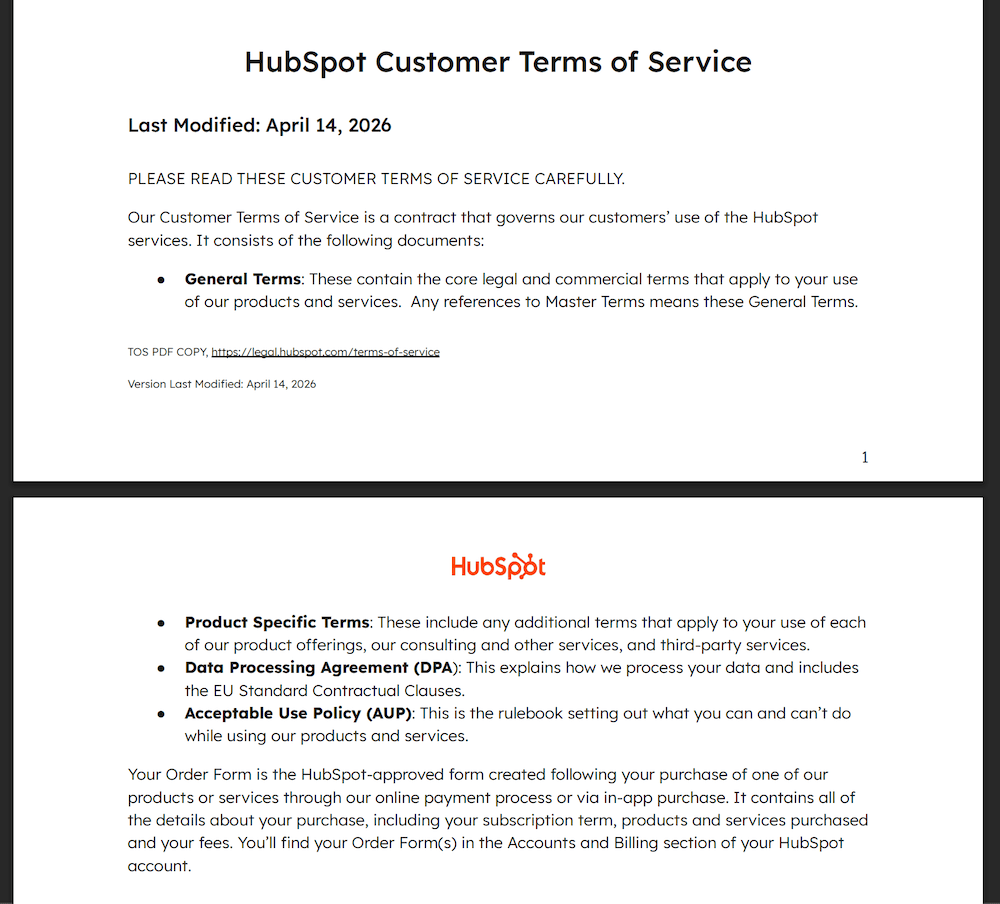
🔔 Change detected on https://legal.hubspot.com/terms-of-service:
A dedicated Data Processing Agreement (DPA) section was added to their Terms of Service.
Why ToS, privacy, and DPA pages need their own monitors
A homepage monitor will not do this job. Marketing chrome, cookie banners, and nav redesigns are real diffs. They are not liability caps, data-processing language, or subprocessor additions. Legal documents are dense: thousands of words, linked PDFs, and quiet rewrites that still bind you. Teams that try to watch the whole vendor domain with one vague brief recreate a visual-diff firehose inside Slack (or bury the signal in a shared legal inbox). The product overview for this desk lives on our Terms of Service monitoring use case. This post is the setup: which URLs to paste, what to ask for, what to ignore, and how the path differs from a selector-and-diff workflow.
The moves that actually matter
Liability, indemnity, or damages caps change. Termination, auto-renewal, or notice windows shift. Data processing, retention, residency, or training-use language is added or narrowed. A subprocessor is added or removed (objection windows are short). Dispute resolution, arbitration, or governing law changes. SLA uptime, credits, or support tiers are revised. Payment, fee pass-through, or acceptable-use rules move in a material way.
What to ignore on purpose
Typo fixes, formatting reshuffles, navigation and footer chrome, cookie banners, and a "last updated" date bump with no clause change. If you do not name those in the brief, the hash will still see them as changes and you will spend week one editing ignore clauses.
Terms of Service monitoring use case
Product framing for the legal desk: which documents to watch, how AI filtering fits liability and data-processing language, and how alerts land in Slack or a signed webhook.
Terms of Service monitoring →How this differs from a Visualping-style ToS watch
Classic website monitors in the Visualping family are built around "something on the screen moved." For legal pages, that usually means picking CSS selectors or pixel regions around the document body, setting a fixed check interval (weekly is common in their ToS guides), then reading a highlighted diff. Material-change triage often needs Zapier plus another AI step to categorize impact, route to legal, and log a battle card or compliance row. That path works if you want to operate a monitoring-and-orchestration rig. Page Deltas asks a different question. Paste the public legal URL (or the PDF), write a natural-language brief, and an LLM judges whether the change matches what you asked for. The alert opens with a clause-level summary plus before/after screenshots. No selector maintenance for the primary workflow. Cadence is adaptive (active pages more often, quiet ones less; paid plans get priority checking). Full plan-for-plan comparison lives on Page Deltas vs Visualping. This post is the legal setup. PDF support matters here: many DPAs and SLAs ship as downloadable PDFs, not HTML, and selector tools are awkward on those files. Page Deltas reads both formats with the same brief-and-summary loop.
Visualping-style path
Pick regions or selectors on the legal page, set a poll interval, often add Zapier for impact categorization and legal routing. Slack (or email) inherits the diff-first model unless you build more automation.
Page Deltas path
Paste the ToS / privacy / DPA / SLA / subprocessor URL (web page or PDF), write the brief, attach Slack / Discord / Teams / email / a signed webhook. AI filtering and summaries are on every plan, including Free. You still decide the legal response. The tool's job is to stop the boilerplate firehose before it hits the channel.
Page Deltas vs Visualping →Setup: first vendor ToS alert in about five minutes
Same path as our how to monitor website changes walkthrough, scoped to legal documents.
Pick the exact legal URL (not the homepage)
HTTPS recommended. Public pages only. Terms usually live on /terms, /legal/terms, or a vendor legal subdomain (example shape: https://legal.hubspot.com/terms-of-service). Privacy policies, DPAs, SLAs, and subprocessor lists are often separate URLs. If the DPA or SLA is a PDF, paste the PDF URL itself. One document, one monitor. Do not point a single monitor at the marketing homepage "just to see."
Create a free Page Deltas account
Sign up at pagedeltas.com/register. No credit card. Free plan: 10 monitored URLs or sitemaps, unlimited checks (best-effort frequency), AI filtering and summaries, unlimited teammates, Slack / Discord / Teams / email / signed webhooks, REST API and MCP, 14-day history.
Connect the channel where legal review already happens
Open Channels, then add Slack, Microsoft Teams, or Discord via an incoming-webhook URL (or email / signed webhook). Click Send test. Do the test. A working monitor with a silent channel is how people decide the product is broken. Most teams use something like #vendor-terms or #procurement, not a private inbox. Full Slack wiring is in How to get website change alerts in Slack.
Create the monitor with a real brief
Click New monitor. Paste the legal URL or PDF. Write the description like a brief, not a search query. Three pieces: what the document is, which clause families matter, what to ignore. Example (HubSpot-shaped ToS): Vendor Terms of Service (HubSpot). Alert me when clauses change around liability, indemnification, termination, data processing, subprocessors, dispute resolution, or payment terms. Ignore typo fixes, formatting, navigation, and "last updated" date bumps that have no clause change. Summarise which clause moved and in which direction (added, removed, narrowed, expanded).
Let the first check establish the baseline
A new monitor is due immediately. The first check stores the fingerprint. You should not expect a "DPA section was added" alert on minute one unless the page actually changed between two checks in a way that matches the brief. Use Check now after you tighten the brief.
Copy-paste briefs for common legal jobs
Steal the shape. Swap the vendor names. Vague briefs ("tell me when this changes") recreate a visual-diff firehose on a 6,000-word agreement.
Terms of Service (HTML page)
Vendor Terms of Service for [Vendor]. Alert me when clauses change around liability, indemnity, termination, auto-renewal, acceptable use, dispute resolution, or payment terms. Ignore typo fixes, formatting, nav/footer, and "last updated" bumps with no clause change. Summarise which clause moved and in which direction.
Privacy policy
Vendor privacy policy for [Vendor]. Alert me when data collection, use, sharing, retention, residency, sale/sharing opt-outs, or AI/training-use language changes. Ignore cookie-banner widgets, nav, and cosmetic reformatting. Summarise the section that moved and whether obligations expanded or narrowed.
DPA / SCC as a PDF
Data Processing Agreement PDF for [Vendor]. Alert me when processing roles, security measures, subprocessors, breach-notification windows, audit rights, or standard contractual clauses change. Ignore cover-page branding and pure formatting. Summarise the clause family and direction of change.
Subprocessor list
Subprocessor list for [Vendor]. Alert me when a subprocessor is added, removed, or renamed, or when the stated processing purpose / location changes. Ignore sort-order reshuffles and page chrome. List the vendor name(s) affected in the summary.
SLA (page or PDF)
Service Level Agreement for [Vendor]. Alert me when uptime commitments, credit formulas, support tiers, maintenance windows, or incident response times change. Ignore marketing surrounding the SLA and formatting-only edits. Summarise the metric or credit term that moved.
What else to watch (without stuffing one monitor)
Vendor legal pages are one slice of third-party risk. Pair them deliberately. Do not dump everything into one brief.
Privacy + DPA + subprocessor as three monitors
Privacy policies, DPAs, and subprocessor lists often update on different cadences. Three specific monitors beat one "watch all legal" monitor that either fires constantly or misses the PDF.
Regulatory pages (different use case)
When the signal is a regulator rewriting guidance (SEC, FDA, FCC, EBA, and peers), that is a separate desk and a separate brief. Do not overload a vendor ToS monitor with rulemaking language.
Regulatory & compliance monitoring →Signed webhook / API into GRC
If the alert should open a ticket in your GRC or contract tool instead of (or as well as) pinging humans, use a signed webhook or the REST API.
How to turn any website into a change API →Careers as a soft vendor signal (optional)
A cluster of privacy, security, or compliance roles at a critical vendor can tip an upcoming policy rewrite. That is a separate monitor if you want it.
How to get job alerts from any company's careers page →Keep the channel useful after day one
Treat the brief as the product. A channel full of noise dies faster than an empty one.
One vendor document, one URL, one brief
Start with the 5-10 vendors that hold customer data or are operationally critical. Expand later. Several specific monitors beat one vague monitor on the whole legal hub.
Edit the brief, don't mute the channel
Noisy alert → open the summary → add an explicit ignore clause → Check now. The new brief applies on the next check, not retroactively.
Thread the response
👀 reviewing, ✅ handled (or "no action / favorable"), keeps #vendor-terms scannable. The alert is the start of legal triage, not a substitute for counsel.
AI triage is not legal advice
The summary is meant to get a qualified reviewer to the right clause faster. It does not replace counsel. Document the human decision in your own tracker if you need an audit trail beyond the alert history.
Honest limits
Plans if you outgrow ten URLs: Starter $29 / 150 URLs, Pro $79 / 1,000, Business $199 / 5,000, Scale $499 / 20,000, Enterprise custom. AI, screenshots, all five alert channels, unlimited checks, and unlimited team members are included on every tier; paid adds priority checking and longer history. Free includes REST API and MCP.
Public pages only
Login-walled vendor portals and customer-only contract centers are not supported yet. Authenticated monitoring is on the roadmap. Anything visible without signing in is fair game, including public PDFs.
Not a visual-regression tool
If the job is "did this pixel move 20px," a visual-diff product still wins. We strip nav/footer/ads and ask whether the leftover change matches your brief.
Not a Wayback Machine
You get alerts, summaries, and before/after screenshots of versions captured while the monitor was on. That is useful for "what did we see on Tuesday." It is not a permanent public archive of every version of the internet, and I would not file it as one. Higher plans retain history longer.
Not LinkedIn or X activity
Page Deltas watches the open web. If the signal is a person's LinkedIn or X activity rather than a public legal page, that is a different job (MultiFollow / KWatch).
Cadence is adaptive, not a typed weekly poll
Check now is the escape hatch. Higher plans get scheduling priority. Legal pages often change rarely; adaptive cadence is usually enough once the brief is tight.
Frequently asked questions
- How often should I check vendor Terms of Service pages?
- You do not type an interval in Page Deltas. Adaptive cadence checks active pages more often and quiet ones less. For mission-critical vendors that hold customer data, that is usually enough; use Check now after a renewal rumor or a vendor "we've updated our terms" email.
- Will it catch PDF DPAs and SLAs?
- Yes, if the PDF is publicly reachable at a stable URL and your brief asks for the clause families that matter. Paste the PDF URL as its own monitor.
- Can I send different vendors to different Slack channels?
- Yes. Add one incoming-webhook channel per destination under Channels, then attach the right ones per monitor (or leave unchecked to use org defaults).
- How is this different from Visualping's ToS / terms-and-conditions workflows?
- Those guides often lean on element/selector targeting, fixed check frequencies, diff-first alerts, and Zapier for impact routing. Page Deltas uses a natural-language brief, AI filtering/summaries on every plan (including Free), adaptive cadence, native Slack / Discord / Teams / email / signed webhooks, and first-class PDF monitoring. Full comparison: Page Deltas vs Visualping.
- Is this a substitute for reading the contract?
- No. It is a detection and triage layer so legal spends time on material rewrites instead of re-reading every vendor page on a calendar. Final compliance determinations stay with qualified counsel.
Author
Julien, Product Manager at Page Deltas. Pick the one vendor ToS you already open before a security review. Paste it (or the DPA PDF), write the sentence you'd send counsel about liability and data processing, connect the channel the team already sits in, send a test, and wait for the first real match. Tighten the ignore list once. That is usually the whole legal setup.
Start with one vendor Terms of Service page
Free plan, no card. Create an account, paste the ToS or DPA URL you already babysit, drop in a brief from above, and route the alert to the channel where vendor review already happens.